

AI coding tools went from novelty to necessity in under two years. In 2024, developers experimented with GitHub Copilot autocomplete suggestions. By mid-2026, entire engineering teams rely on AI agents to ship production code, refactor legacy systems, and resolve complex bugs autonomously.
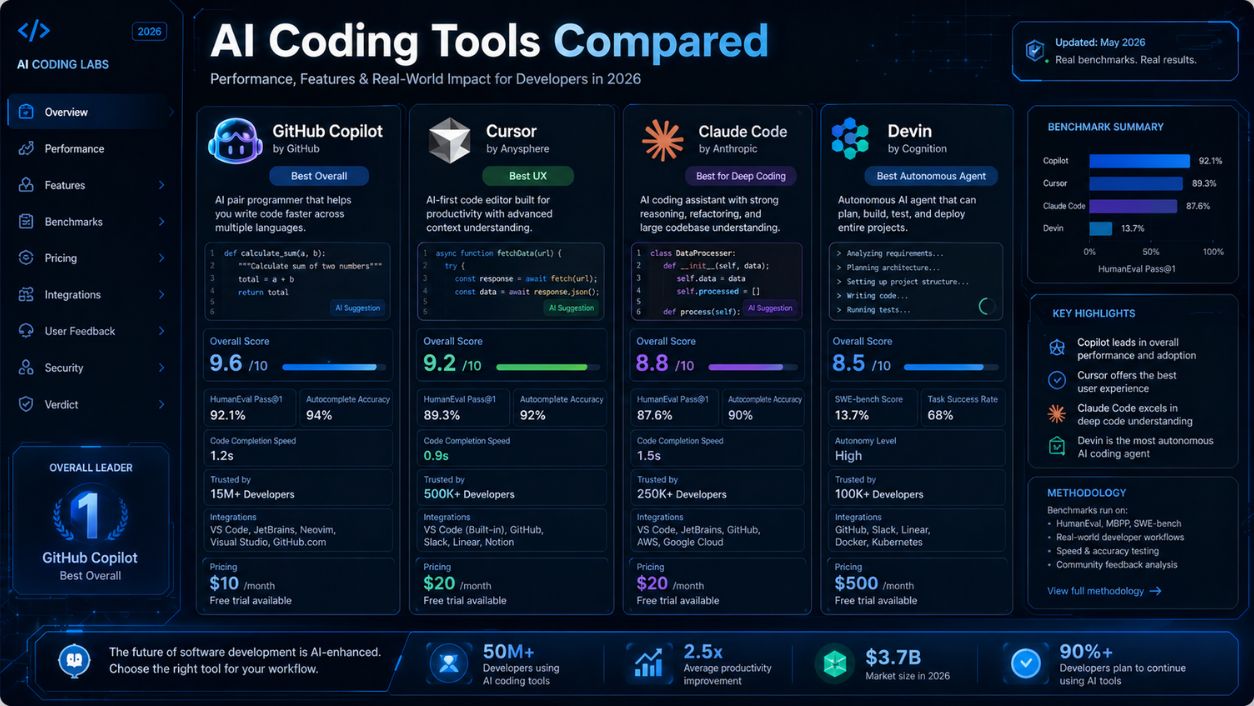
The market has consolidated around four major players: GitHub Copilot (the incumbent), Cursor (the power user favorite), Claude Code (the breakout terminal agent), and Devin (the fully autonomous cloud agent). Each takes a fundamentally different approach to AI-assisted development.
This is not a feature list comparison. This is a practical evaluation based on real benchmark data, actual developer workflows, and honest assessments of where each tool excels and where it falls short.
The AI Coding Landscape in 2026: What Changed
The shift from 2024 to 2026 is not incremental. It is architectural.
In 2024, AI coding tools primarily offered autocomplete: they predicted the next line of code and let you tab to accept. Useful, but limited. The developer remained the driver.
In 2026, the leading tools are full coding agents. They understand entire codebases, execute multi-file refactors, run tests, fix failures, and commit working code. The developer sets direction. The AI executes.
Developer survey data shows experienced developers now use an average of 2.3 AI coding tools simultaneously. The hybrid approach (using different tools for different task types) has become the norm, not the exception.
GitHub Copilot: The Accessible Workhorse
What It Is
GitHub Copilot is a multi-IDE extension developed by GitHub (Microsoft). It works inside VS Code, JetBrains, Neovim, and Visual Studio. At $10 per month for individuals ($19 for Business, $39 for Enterprise), it is the most affordable option in this comparison.
Strengths
Universal IDE support. Copilot works wherever you code. No editor switching required. This makes it the default choice for teams with diverse IDE preferences.
Low barrier to entry. Installation takes 60 seconds. The learning curve is minimal. Junior developers become productive with it almost immediately.
Coding agent for issues. The newest Copilot feature converts GitHub issues into pull requests autonomously. Assign an issue to the Copilot agent, and it generates a branch, writes the code, runs tests, and opens a PR for review.
Enterprise integration. Deep integration with GitHub repositories, Actions, and code review workflows makes it the natural choice for organizations already built on the GitHub ecosystem.
Weaknesses
Context window limitations remain a constraint for very large codebases. Copilot’s understanding of cross-file dependencies is improving but still trails Cursor and Claude Code.
Autocomplete accuracy, while strong for common patterns, can suggest incorrect or outdated code for niche frameworks and libraries.
The agent mode, while promising, is newer and less battle-tested than Cursor’s Composer or Claude Code’s terminal agent.
Best for:
Teams using GitHub, developers who want AI assistance without changing their editor, organizations prioritizing cost efficiency, and junior to mid-level developers who benefit most from autocomplete and inline suggestions.
Cursor: The Power User’s IDE
What It Is
Cursor is an AI-native IDE (a fork of VS Code) that rebuilds the editing experience around AI capabilities. At $20 per month (Pro plan), it is a full development environment, not an extension.
Strengths
Supermaven autocomplete. Cursor’s autocomplete engine runs through Supermaven (acquired in 2024), achieving a 72% acceptance rate. That means nearly three out of four suggestions are accurate enough for developers to accept without modification. This is the highest acceptance rate in the market.
Composer for multi-file editing. Composer is Cursor’s visual multi-file editing mode. You describe a change in natural language, and Composer shows you a diff across every affected file before you apply it. This visual approach gives developers confidence that AI changes are correct.
Background agents. Cursor can spin up background agents that work on tasks asynchronously. You keep coding while the agent handles a separate refactor, bug fix, or feature implementation in the background.
Deep codebase indexing. Cursor indexes your entire repository and builds a semantic understanding of the codebase. This means its suggestions account for your project’s architecture, naming conventions, and patterns.
Weaknesses
Requires switching from your current editor. For developers deeply invested in JetBrains, Vim, or Emacs workflows, this is a significant adoption barrier.
The pricing model includes usage-based components for premium model access (Claude, GPT-4o), which can make costs unpredictable for heavy users.
Performance can lag on very large monorepos during initial indexing.
Best for:
Senior developers who want maximum AI leverage in their daily workflow, teams building complex applications with many interconnected files, and developers who value visual confirmation of AI-generated changes.
Claude Code: The Terminal-Native Agent
What It Is
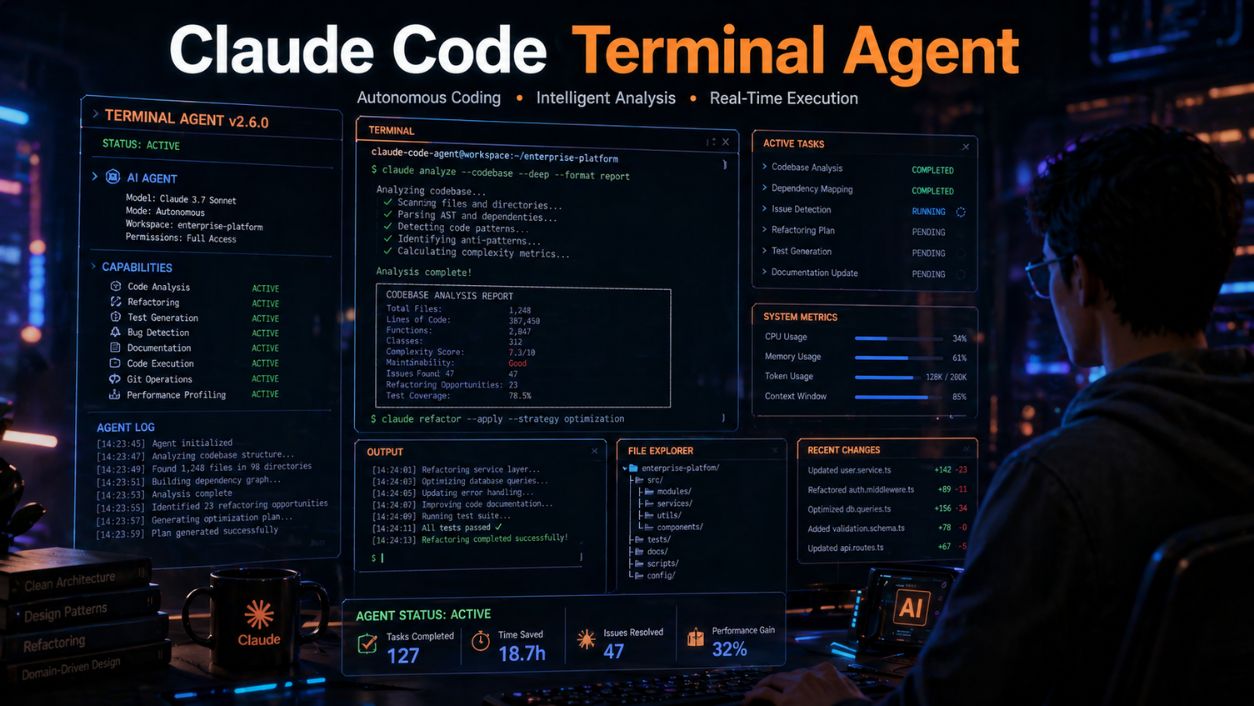
Claude Code is Anthropic’s terminal-native coding agent. It runs in your command line (not inside an IDE), understands your full codebase through its 1-million-token context window, and executes complex tasks autonomously. Pricing is usage-based through the Anthropic API or $20/month through the Max plan.
Strengths
Benchmark dominance. Claude Code scored 80.8% on SWE-bench Verified, the industry standard benchmark for real-world software engineering tasks. This is the highest score among commercial tools, reflecting superior ability to understand, plan, and execute multi-step coding tasks.
Largest context window. The 1-million-token context window means Claude Code can hold your entire codebase in memory simultaneously. For large projects, this eliminates the context fragmentation that limits other tools.
Terminal-native workflow. Claude Code works in your terminal alongside your existing tools. It runs tests, executes git commands, manages files, and interacts with your development environment directly. No editor switching required.
Complex task handling. Where autocomplete tools excel at line-level suggestions, Claude Code excels at project-level tasks: refactoring entire modules, migrating APIs, debugging complex test failures across multiple files, and implementing features from specification to working code.
Weaknesses
The terminal-first approach has a steeper learning curve than IDE-integrated tools. Developers accustomed to visual interfaces may find the command-line workflow less intuitive initially.
Usage-based pricing can become expensive for teams that run complex tasks frequently. Cost management requires monitoring.
No built-in autocomplete. Claude Code is designed for agentic tasks, not for line-by-line code completion. Most users pair it with an autocomplete tool (Cursor or Copilot) for daily editing.
Best for:
Complex multi-file refactors and migrations, large codebase exploration and understanding, developers comfortable with terminal workflows, and tasks that require deep reasoning across many interconnected files.
Devin: The Fully Autonomous Cloud Agent
What It Is
Devin, built by Cognition Labs, is a cloud-based autonomous software engineering agent. Unlike the other tools in this comparison, Devin operates in its own sandboxed cloud environment with a full development setup (editor, terminal, browser). Pricing starts at $500/month for teams.
Strengths
Full autonomy. Devin can take a task description, plan the implementation, write the code, debug errors, search documentation, and deploy. The degree of autonomy exceeds what the other three tools offer.
Built-in browser and research. Devin can browse the web to read documentation, search for solutions, and reference API specifications. Other tools rely on the developer to provide this context.
Asynchronous task completion. You assign Devin a task and walk away. It works independently in its cloud environment and notifies you when finished. This “fire and forget” model works well for repetitive tasks like bug fixes, test writing, and boilerplate generation.
Weaknesses
Price is a significant barrier. At $500/month, Devin costs 25 to 50 times more than the other tools. The ROI calculation only works for teams with a high volume of delegatable tasks.
Accuracy on complex, nuanced tasks still requires human review. The autonomous model means mistakes can compound before a developer catches them.
Limited integration with local development environments. Because Devin operates in its own cloud sandbox, incorporating it into existing CI/CD pipelines and local workflows requires additional setup.
Best for:
Engineering teams with large backlogs of well-defined tasks, organizations that need to scale output without proportional headcount increases, and repetitive tasks like writing tests, fixing linting issues, or updating documentation.
Head-to-Head Comparison
| Feature | GitHub Copilot | Cursor | Claude Code | Devin |
| Price | $10 to $39/mo | $20/mo + usage | $20/mo or usage | $500/mo |
| Interface | IDE extension | Standalone IDE | Terminal/CLI | Cloud sandbox |
| SWE-bench Score | Not published | ~65% (estimated) | 80.8% | ~55% (estimated) |
| Context Window | Medium | Large (indexed) | 1M tokens | Varies |
| Autocomplete | Strong | Best (72% accept) | None built-in | N/A |
| Agent Mode | Issue-to-PR | Background agents | Full terminal agent | Fully autonomous |
| Multi-file Editing | Limited | Composer (visual) | Strong (agentic) | Full autonomy |
| Learning Curve | Low | Medium | Medium-High | Low (delegation) |
| Developer Love | 9% “most loved” | 19% “most loved” | 46% “most loved” | Niche following |
Which Tool Should You Choose?

The honest answer: most professional developers should use more than one.
The most popular combination in 2026 is Cursor for daily editing (autocomplete, Composer, background agents) plus Claude Code for complex tasks (major refactors, codebase exploration, multi-step debugging). This hybrid gives you the best autocomplete experience alongside the strongest reasoning engine.
If you are budget-conscious or work across multiple IDEs, GitHub Copilot remains the most practical single-tool choice. Its $10/month price point and universal IDE support make it the easiest starting point.
If your team has a large backlog of well-defined, delegatable tasks and the budget to support it, Devin’s autonomous model can meaningfully increase output. But verify the ROI carefully at $500/month.
Expert Tips for Getting the Most from AI Coding Tools
- Write better prompts, not more prompts. AI coding tools respond dramatically to prompt quality. Specifying the exact files, functions, and expected behavior in your instructions produces vastly better results than vague requests.
- Always review AI-generated code. Even the best tools produce incorrect code. The 80.8% benchmark score means roughly 1 in 5 complex tasks still needs human correction. Treat AI output as a first draft, not a final product.
- Use AI for what it does best: boilerplate, refactoring, and test generation. AI coding tools excel at repetitive, pattern-heavy tasks. They struggle with novel architecture decisions, ambiguous requirements, and business logic that requires domain knowledge.
- Invest in context management. The quality of AI output depends on the context it receives. Well-organized codebases with clear naming conventions, documentation, and modular architecture produce better AI suggestions than messy, tangled code.
- Track your actual time savings. Measure how much time AI tools save you on real tasks over a full month. Some developers overestimate savings because they remember the impressive wins and forget the time spent fixing AI mistakes.
Common Mistakes Developers Make with AI Coding Tools
Accepting code without understanding it. The speed of AI suggestion makes it tempting to accept and move on. Code you do not understand becomes code you cannot debug or maintain.
Using one tool for everything. Each tool has different strengths. Using Copilot for complex refactors or Claude Code for autocomplete is like using a screwdriver as a hammer. It technically works, but poorly.
Ignoring cost management. Usage-based pricing can spike unexpectedly. Set alerts and monitor spending, especially when running complex agentic tasks that consume many tokens.
Neglecting security review. AI tools can introduce vulnerabilities, leak sensitive patterns into suggestions, or generate code with unintended dependencies. Security review processes must account for AI-generated code.
Expecting AI to replace architectural thinking. AI tools execute. They do not architect. The developer still needs to design the system, choose the patterns, and make the tradeoff decisions. Delegating that judgment to AI produces fragile, inconsistent codebases.
Many developers focus heavily on productivity while overlooking long-term security risks. As AI-generated code becomes more common, understanding emerging threats like post-quantum cybersecurity is becoming equally important for engineering teams.
Frequently Asked Questions
What are the best AI coding tools for developers in 2026?
The four leading tools are GitHub Copilot ($10/mo, IDE extension), Cursor ($20/mo, AI-native IDE), Claude Code ($20/mo or usage-based, terminal agent), and Devin ($500/mo, autonomous cloud agent). Most professional developers combine two tools: one for daily autocomplete and one for complex agentic tasks.
Is Claude Code better than GitHub Copilot?
They solve different problems. Claude Code scores higher on complex reasoning benchmarks (80.8% on SWE-bench) and handles multi-file tasks better. GitHub Copilot offers superior autocomplete, lower cost, and universal IDE support. Many developers use both: Copilot for day-to-day coding and Claude Code for complex tasks.
Will AI coding tools replace developers?
No. AI coding tools amplify developer productivity, but they require human direction for architecture decisions, business logic, requirements interpretation, and quality assurance. The developers who learn to use these tools effectively will outperform those who do not, but the tools themselves are not a replacement for engineering judgment.
If you want to explore how autonomous agents are changing the future of engineering beyond autocomplete, check out our detailed guide on AI coding agents and autonomous software development workflows.
Your Next Step
Start with one tool. GitHub Copilot is the easiest starting point if you have never used AI coding assistance. If you are already using Copilot, try Cursor or Claude Code for a week on your most complex tasks and measure the difference.
The developers who invest time learning these tools now will have a compound advantage over those who wait. The productivity gap between AI-augmented developers and traditional developers is growing every quarter.
Pick a tool. Use it on a real project. Form your own opinion based on experience, not marketing.