A QuickBooks survey of 2,000 small business owners found that 83 percent already use AI at work in some form. Canva’s free plan now ships with roughly 50 Magic Studio credits a month for background removal, text-to-image, and its Magic Write assistant. HubSpot added AI lead scoring and email sequencing to its free CRM in April 2026, features that cost hundreds of dollars a month on rival platforms only two years ago. The gap between free and paid AI is smaller than the marketing suggests, and for a business owner watching every dollar, that gap is where the advantage lives.
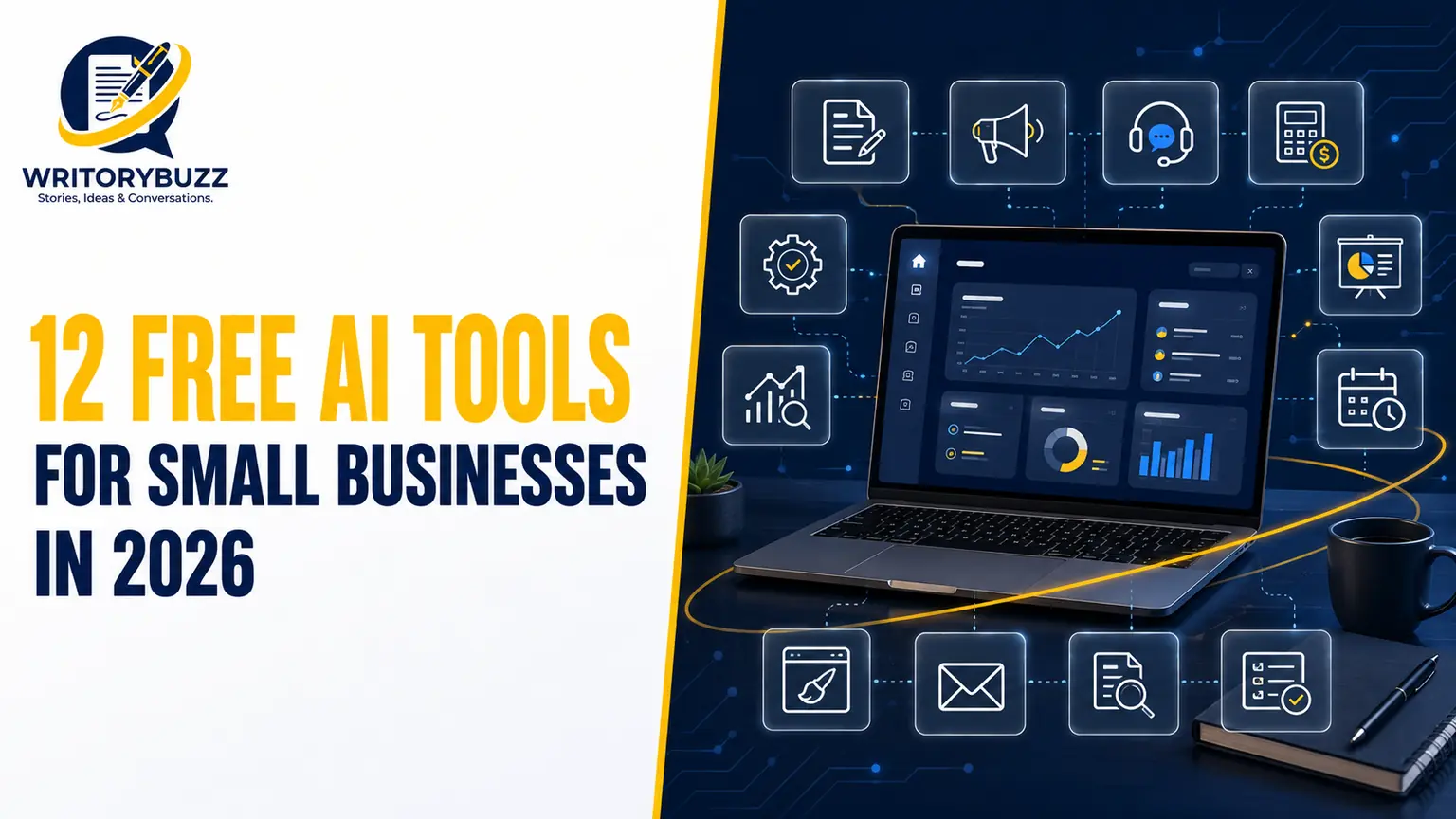
Free AI tools are not free because someone is being generous. They are free because you sit at the top of a funnel, and the company running the tool is betting that once the free version starts to pinch, you will pay. That is not a reason to avoid them. It is a reason to use them deliberately: pick the tools whose free tier covers your actual workload, connect them into a workflow, and only upgrade the one or two that genuinely run out of room. This guide covers 12 free AI tools that a solo founder or small team can run indefinitely in 2026, what each free tier really includes, and the exact point where the limits begin to bite. If you also write code, our breakdown of the best AI coding tools of 2026 pairs well with the list below.
How to Choose a Free AI Tool That Survives Real Work
The test for a usable free tool is simple: it has to let you ship something real, not just demo the product. Free trials that expire in 14 days do not count. Neither do plans that demand a credit card before you can type a word. A genuinely free tier lets you produce client-ready output, run it for months, and legally use the result in commercial work. Every tool below clears that bar as of 2026, though free limits shift often, so confirm the current tier on each provider’s pricing page before you commit a workflow to it.
The smartest small businesses in 2026 do not treat these tools as isolated toys. They connect them. A writing assistant drafts the email, a design tool builds the graphic, a CRM tracks the lead the email generated, and an automation tool stitches the handoffs together. The value compounds when the tools talk to each other, which is why the list below is organised by the job each one does rather than by brand hype.
Predis.ai: AI-Powered Social Media Content and Ads
Predis AI helps small businesses create social media content and ads without needing a dedicated designer or content team. You can start with a product link, text prompt, or image, and generate ad creatives, videos, headlines, captions, and calls to action in one workflow. It supports formats for platforms such as Instagram, Facebook, TikTok, LinkedIn, YouTube, and Pinterest, making it useful for businesses that need to keep multiple social channels active.
For a small business that needs to produce content consistently, it can reduce the time spent planning and creating every post or ad from scratch. Its brand-kit features help keep colors, logos, and tone consistent, while its content scheduling and auto-posting tools can help manage publishing from one place. Businesses can try this tool without a long setup process, making it practical for testing AI-assisted social media production before committing to a larger content workflow.
1. ChatGPT Free: The Default Writing and Thinking Assistant
ChatGPT remains the most useful zero-cost AI tool for most small businesses because it handles the widest range of everyday tasks. On the free tier you get writing, research, summarising, brainstorming, and basic coding, with access to a capable model and generous daily use before any cap. For a business owner who spends hours drafting emails, product descriptions, social captions, and replies to customers, ChatGPT collapses that time by roughly half once you learn to prompt it with context.
The free plan’s real limitation is depth over long sessions and the absence of higher-reasoning models reserved for paid users. For drafting, ideation, and quick research it is more than enough. Start here if writing is your biggest time sink, then judge later whether the paid tier earns its keep.
2. Claude Free: The Better Long-Form Writer
Claude, built by Anthropic, is the free tool to reach for when the writing has to sound human and hold a consistent voice across a long document. It handles nuanced editing, tone matching, and structured long-form drafts with fewer of the robotic tics that mark AI copy. For proposals, newsletters, and blog drafts, many small business owners run Claude alongside ChatGPT and pick whichever output reads better for the task.
The free tier limits message volume during busy periods and caps the size of documents you can process at once. Neither ceiling matters much for daily writing. Treat Claude as your editor and ChatGPT as your generalist, and you cover almost every writing job at no cost.
3. Google Gemini: The Free Assistant With a Powerful Model
Gemini is Google’s AI assistant, and its free tier is notable because it gives access to a genuinely strong model with real-time Google Search built in. That search grounding matters for a small business: it means Gemini can pull current information rather than answering from stale training data, which makes it a reliable choice for market research, competitor checks, and anything that needs to be accurate as of today.
Gemini also plugs into Gmail, Docs, and Sheets, so drafting an email or summarising a spreadsheet happens where you already work. The free tier is sufficient for most owners. If your business already runs on Google Workspace, Gemini is the assistant with the least friction to adopt.
4. Perplexity AI: The Research Tool That Cites Its Sources
Perplexity is an AI answer engine, and for business research it beats a general chatbot because it provides real-time web citations for every claim it makes. When you need to verify an industry trend, size a market, or run quick competitive analysis, Perplexity shows you where each fact came from, which means you can trust the output enough to put it in front of a client or a lender.
The free tier gives you a solid daily allowance of standard searches and a smaller number of deeper “Pro” searches. For an owner who needs cited, reliable facts rather than creative brainstorming, that allowance covers normal research needs. Use Perplexity when accuracy and sourcing matter more than raw generation.
5. NotebookLM: Turn Your Own Documents Into an Expert
Google’s NotebookLM does something no general chatbot does well: it builds a custom AI that answers only from the sources you upload. Feed it your contracts, PDFs, product manuals, meeting recordings, or a stack of research, and it answers questions strictly from that material, with citations back to the exact passage. That constraint is the point. It will not hallucinate a fact that is not in your documents.
For a small business, this turns a messy folder of files into something you can interrogate. Onboarding a new hire, answering a policy question, or pulling a clause from a contract becomes a search rather than a hunt. The free tier is generous, and the tool is one of the most underused free AI products available in 2026.
6. Canva Magic Studio: Design Without a Designer
Canva’s free plan bundles its Magic Studio AI features: Magic Write for copy, background removal, and text-to-image generation, layered on top of more than 250,000 templates for social posts, flyers, business cards, and presentations. The free tier includes roughly 50 Magic Studio credits a month and about 5 GB of storage, which stretches surprisingly far for a business posting three or four times a week if you are not generating a fresh AI image for every single post.
Most small businesses do not need Canva Pro. The free AI features handle the large majority of routine design work. The limits you will eventually hit are brand kits, unlimited background removals, and the resize-to-any-format tool, all of which sit behind the paid plan. Until then, Canva free is the closest thing to an in-house designer you can get for zero dollars.
7. HubSpot Free CRM: Track Every Lead for Nothing
HubSpot’s free CRM is among the most generous free business tools in existence, and in April 2026 it added AI lead scoring and email sequencing to that free tier. You also get contact management, deal-stage tracking, email templates, meeting scheduling, live chat, and basic reporting, all free with no forced upgrade. For a business that currently tracks leads in a spreadsheet or, worse, in its head, this is the single highest-leverage free tool on the list.
The value is in the pipeline view. Set stages like Lead, Qualified, Proposal Sent, Negotiation, and Closed Won, and HubSpot logs email opens and moves deals through automatically. The free tier caps advanced automation and reporting depth, but the core CRM is usable indefinitely. Note that lead scoring availability can vary by region and rollout date, so confirm it on HubSpot’s free plan page before you rely on it.
8. Otter.ai and Fireflies: Never Take Meeting Notes Again
Otter.ai and Fireflies both transcribe meetings and, more usefully, generate an automatic summary with action points. Fireflies integrates slightly better with Google Meet, while Otter is strong across Zoom and general recordings. The real value is not the raw transcript. It is that you stop scribbling during your own calls and start listening, which changes how the conversation goes.
One consultant compared six months of Fireflies summaries against her sales numbers and found her close rate on discovery calls rose once she stopped taking notes and started being present. Both tools cap free monthly transcription minutes, which is the limit most owners eventually hit if calls are constant. For a few meetings a week, the free tier is enough, and the time returned is immediate.
9. Zapier Free: The Glue Between Your Tools
Zapier connects the apps you already use so that an action in one triggers an action in another, no code required. A new HubSpot contact can create a task, a form submission can add a row to a sheet, a starred email can post to your team chat. On the free tier you get a set number of automated tasks a month across a handful of two-step “Zaps,” which is enough to remove several of the repetitive handoffs that eat a small team’s day.
Zapier is the tool that turns a pile of separate free apps into a workflow. The free limit on task volume and multi-step automations is where growing businesses upgrade, but the free tier is the right place to learn what to automate. Start by automating your single most repetitive daily task and expand from there.
10. Figma: Free Design and AI Mockups
Figma is a professional design tool whose free tier includes three files plus unlimited drafts, and its AI features can turn a text description into a working UI mockup. Even if you are not a designer, you can describe a feature or a landing page and get a real, editable mockup back in minutes. For product wireframing, sketching a website, or collaborating on a visual with a contractor, this saves hours of back-and-forth.
The three-file cap is the main free limitation, which matters more for agencies than for a single business maintaining one product. For occasional design and mockup work, Figma free is a serious tool given away at no cost, and its collaboration features make it easy to hand a draft to a freelancer for polish.
11. DeepL: Accurate Translation for Cross-Border Work
DeepL produces more natural, accurate translations than most free alternatives, which matters the moment your business talks to a supplier, customer, or partner in another language. It handles full documents as well as text, preserving tone and context in a way that reads like a human wrote it rather than a machine. For a small business expanding beyond its home market, that accuracy prevents the small mistranslations that damage trust.
The free tier caps document translation volume and file size per month, which is ample for regular correspondence and the occasional contract. Combined with an AI writing assistant to polish the result, DeepL lets an owner handle international communication without hiring a translator for routine work.
12. Hugging Face: The Free Playground for Custom AI
Hugging Face hosts thousands of pre-trained AI models for tasks like text classification, sentiment analysis, image recognition, and speech, most of which you can test for free in the browser. For a technically curious owner, it is the place to discover whether a specific AI capability, say analysing customer reviews for sentiment or auto-tagging product images, is feasible before paying anyone to build it.
Hugging Face is less a finished product than a toolbox, so it rewards experimentation over plug-and-play use. The free tier is generous for testing and light workloads. If a model proves its value, you then have a concrete case for building it into your business, either yourself or with a developer, rather than guessing.
Free AI Tools for Small Business at a Glance
| Tool | Best For | Free Tier Reality | Where It Stops Being Free |
| ChatGPT Free | General writing and research | Capable model, generous daily use | Higher-reasoning models, priority access |
| Claude Free | Long-form and edited writing | Strong voice, daily message limit | Larger documents, peak-time volume |
| Google Gemini | Search-grounded assistant | Powerful model, Workspace integration | Advanced model tiers, higher limits |
| Perplexity AI | Cited research | Daily standard plus limited Pro searches | Heavy daily deep research |
| NotebookLM | Q&A over your own documents | Generous source and notebook limits | Very high source volume |
| Canva Magic Studio | Design and graphics | ~50 AI credits/month, 250k+ templates | Brand kits, unlimited AI, resize |
| HubSpot Free CRM | Lead and pipeline tracking | Full CRM plus AI lead scoring | Advanced automation and reporting |
| Otter / Fireflies | Meeting notes and summaries | Limited monthly transcription minutes | Constant meeting volume |
| Zapier Free | Connecting apps | Limited tasks, two-step Zaps | Multi-step automation, task volume |
| Figma | Design and AI mockups | 3 files, unlimited drafts | Multiple projects, teams |
| DeepL | Accurate translation | Capped monthly document volume | High-volume or large-file translation |
| Hugging Face | Testing custom AI models | Free model testing and light use | Production-scale inference |
Building a Zero-Dollar AI Stack
The point of this list is not to adopt all 12 tools. It is to assemble the three or four that match your biggest time sinks into a system. A common zero-dollar stack in 2026 looks like this: ChatGPT or Claude for writing, Canva Magic Studio for design, Perplexity for research, HubSpot free CRM for leads, Otter or Fireflies for meeting notes, and Zapier to connect them. That combination covers marketing, sales, customer communication, and admin without a monthly bill, and it scales with you until one specific tool runs out of room.
None of these tools will run your business for you. What they will do is return the hours you currently spend on tasks that do not require a human, which is the real return on adopting them. For a deeper look at how autonomous AI is starting to handle multi-step business tasks on its own, our explainer on agentic AI in business covers where this is heading next.
FAQs: Free AI Tools for Small Business Questions
What are the best free AI tools for small businesses in 2026?
The best free AI tools for small businesses in 2026 are ChatGPT and Claude for writing, Google Gemini and Perplexity for research, Canva Magic Studio for design, NotebookLM for querying your own documents, HubSpot’s free CRM for leads, Otter or Fireflies for meeting notes, and Zapier for connecting them. Each has a genuinely usable free tier with no credit card required, and together they cover marketing, sales, and admin at zero monthly cost for a solo founder or small team.
Can I run my entire business on free AI tools?
You can run the AI layer of a small business entirely on free tools. Writing, design, research, lead tracking, meeting notes, and basic automation are all available at zero cost through free tiers in 2026. You will still pay for things AI does not cover: a domain, hosting, and payment processing. But the productivity, marketing, and customer-service stack can realistically cost zero dollars a month until your volume outgrows a specific tool’s free limits.
Are free AI tools safe to use for business data?
Free AI tools are reasonably safe for general business use, but you should avoid entering sensitive customer data, financial records, or confidential contracts into consumer free tiers, because some providers may use free-tier inputs to train models. For confidential material, use tools like NotebookLM that answer only from your uploaded sources, check each provider’s data policy, and turn off training on your inputs where the setting exists. Treat free tiers as you would a public draft.
How do free AI tools make money if they are free?
Free AI tools make money by using the free tier as the top of a sales funnel. The provider bets that once you build a workflow around the tool, you will pay when the free limits start to pinch, whether that is message caps, storage, AI credits, or advanced features. Some also monetise through paid teams, enterprise contracts, or, in a few cases, by using free-tier data to improve their models. The free version is a customer-acquisition strategy, not charity.
Which free AI tool should a small business start with first?
A small business should start with the free AI tool that attacks its biggest time sink. If you spend hours writing emails, captions, and replies, start with ChatGPT or Claude. If you lose track of leads, start with HubSpot’s free CRM. If design slows you down, start with Canva Magic Studio. Adopt one tool, build it into your daily routine until it feels natural, then add a second. Adopting all of them at once guarantees you use none of them well.
What are the main limitations of free AI tools in 2026?
The main limitations of free AI tools in 2026 are usage caps and missing advanced features. Free tiers typically limit message volume, AI credits, storage, transcription minutes, or automated tasks, and they withhold brand kits, deeper analytics, priority support, and the most powerful models. For a starting small business these ceilings rarely matter. They become real only as your volume grows, at which point you upgrade the one tool that ran out of room rather than paying for all of them.
Start Small, Connect, Then Upgrade
The competitive advantage in 2026 is not access to AI. Everyone has that now. The advantage is the owner who picks two or three free tools that fit their actual workflow, connects them so the output of one feeds the next, and spends the reclaimed hours on the work only a human can do. Begin with your single biggest time drain, adopt one tool to attack it this week, and add the next only once the first is a habit. The businesses pulling ahead are not the ones with the biggest software budget. They are the ones who built a working system out of tools that cost nothing.