Home
Categories
Free Tools
Write For UsAbout UsContact

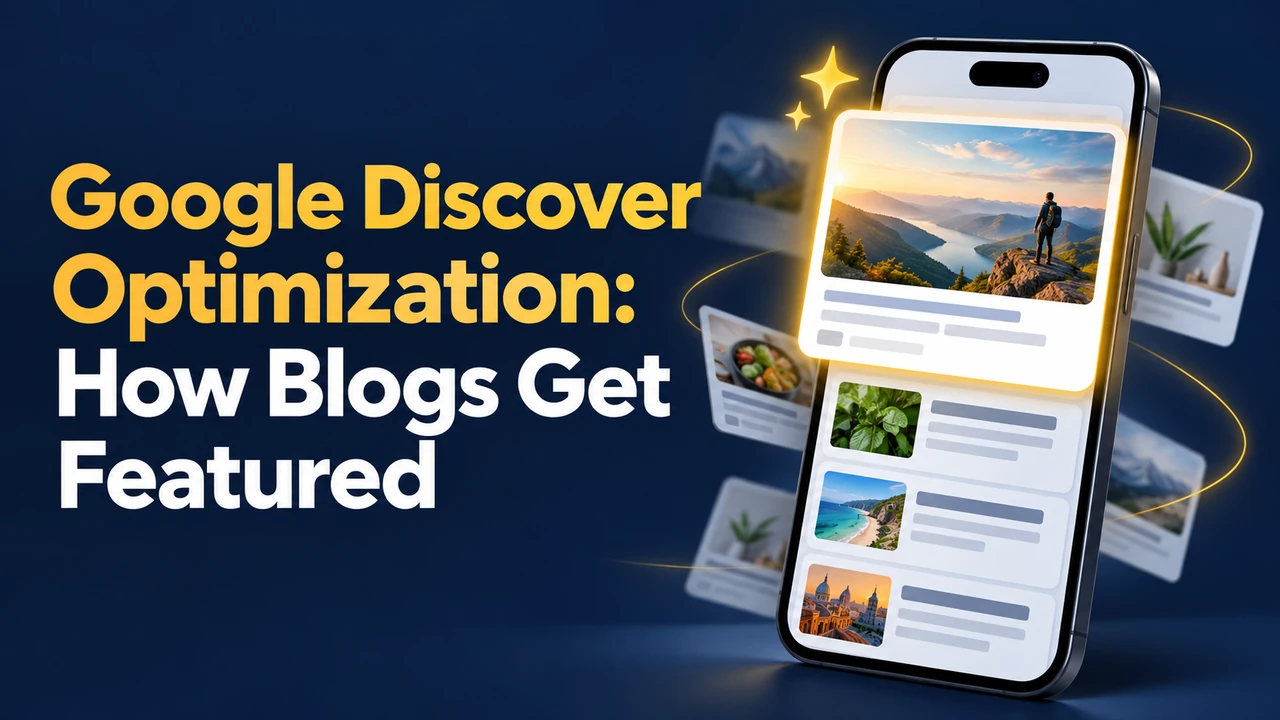
Google Discover Optimization: How Blogs Get Featured

Google Discover has no special markup. Learn the eligibility rules, the 1200px image requirement, content traits that fit and how to track Discover...

October 28, 2026 Updated November 4, 2026 6 min read
Google Discover Optimization: How Blogs Get Featured

Key takeaways

  • No special markup is needed; pages must be indexed and follow Google's content policies to be eligible.
  • Use large, high-quality images at least 1200 pixels wide and enable max-image-preview:large.
  • Avoid clickbait; titles should reflect the content and not mislead or exaggerate.
  • Timely, story-led and uniquely useful content fits best, though older helpful pages can appear too.
  • Discover traffic is supplemental and volatile; track it in the Search Console Discover report (16 months).

Google says there is no special markup, tag or application for Google Discover. If your page is indexed and meets Google’s content policies, it can be eligible, but it is never guaranteed.

Discover shows readers a personalised feed of pages on their phones before they search. For a blog it can deliver sudden bursts of traffic that search alone does not. It is also unpredictable, so it should be treated as a bonus rather than a plan. This guide sets out what Google officially says about eligibility, the image requirements that often trip bloggers up, the kind of content that tends to fit, and how to see your own Discover data.

What Google Says About Eligibility

According to Google Search Central, Discover surfaces content automatically based on a user’s interests. A page is eligible if it is indexed by Google and meets Discover’s content policies. There is nothing to apply for and no tag to add. Google also notes that appearing is not guaranteed and that traffic from Discover can vary a lot from one period to another.

Content Policies to Respect

Discover avoids content that is deceptive, harmful, sexually explicit, or that uses misleading titles or images to attract clicks. Follow the same quality standards you would use for search: accurate, original, written for people, and with clear authorship and sourcing.

Images: The Most Common Blocker

Large images improve how a card looks in the feed, and Google asks for them explicitly.

RequirementGuideline
WidthAt least 1200 pixels wide
SizeHigh resolution, over 300,000 pixels
Preview settingEnable max-image-preview:large in the robots meta tag, or use AMP
RatioA 16:9 featured image works well
SourceSpecify with og:image or schema.org image markup, not a tiny logo
AvoidLogos, text-heavy graphics and low-resolution images

Check your theme or SEO plugin: many set a small default image or omit the large preview setting. Use a clear, relevant photo or illustration that fits the story rather than a generic stock image with overlaid text.

Content That Tends to Fit Discover

Google describes Discover as a way to find content tied to interests, so it favours pages that are timely, tell a story or offer something distinctive. Older, helpful content can also appear. A few patterns are worth testing.

  • Honest titles: make them descriptive and accurate. Do not use clickbait or withhold the key information.
  • Original value: first-hand experience, clear explanation, local insight or unique data.
  • Strong topical focus: consistent coverage of a subject builds a clear identity for your site.
  • Clear authorship: show who wrote the post and why they know the topic.
  • Fresh angle on timely topics: festivals, seasonal events and trends that readers are interested in.

None of this is a formula. Discover interest is personal, so two sites with similar content can see very different results.

Track and Respond to Discover Traffic

If your site gets enough Discover traffic, Search Console adds a Discover report under Performance, covering up to 16 months. Look at clicks, impressions and click-through rate, and open the pages list to see which posts appeared. Note the type of content and its image, then repeat what worked.

  • Expect spikes and drops: do not rebuild your site around Discover.
  • Protect page experience: Discover visitors arrive on phones, so check mobile speed.
  • Convert the burst: add a clear newsletter sign-up and internal links so new readers see more of your work.
  • Keep policies in view: review Google’s Discover content policies whenever traffic drops suddenly.
Related readHow Long Should a Blog Post Be in 2026? Data and GuidelinesRead →

Free tools for SEO

FAQs

Is there a way to apply to Google Discover?

No. Google states there is no application, tag or special markup for Discover. Pages that are indexed and meet content policies are eligible and may appear automatically based on user interests. Inclusion is never guaranteed, so focus on quality content, accurate titles and strong images rather than looking for a submission method. The best preparation is simply to keep your site indexable, your content accurate and your featured images large and relevant.

What image size does Google Discover need?

Google recommends large images at least 1200 pixels wide, with high resolution over 300,000 pixels, and allowing large previews with the max-image-preview:large robots setting. A 16:9 ratio is a safe choice. Avoid logos and text-heavy graphics, and specify the image through og:image or schema markup. Check the exact wording on Google Search Central before changing your templates, as guidelines and report names can be updated over time.

Does Discover only show new content?

Not only. Google says Discover favours timely content, but older helpful pages can appear as well when they fit a person’s interests. This means refreshing and promoting evergreen posts can still be worthwhile, particularly when you improve their images, accuracy and titles. Even evergreen articles should be reviewed for accuracy and visual quality if you hope they will be surfaced to new readers in a feed.

How do I see my Discover traffic?

Open Google Search Console and look for the Discover report in the Performance section. It appears when your site has enough Discover impressions. It covers up to 16 months and shows clicks, impressions and click-through rate for pages, countries and content types, helping you spot patterns. Check it every week or two rather than daily, since single-day swings are common and can lead you to react to noise.

Why did my Discover traffic suddenly stop?

Discover is volatile and personalised, so traffic can rise and fall without any change on your site. Check that your pages are indexed, there are no policy issues, and your images and titles still meet guidelines. Also review content quality, since Discover tends to favour consistently helpful sites. Compare the result with your search performance too, because a healthy site usually shows steady quality signals across both channels.

Can clickbait titles help in Discover?

No. Google advises against misleading or exaggerated titles and images, and they may make a page ineligible. Use a title that reflects what the reader will find. A clear, interesting headline with a relevant image is safer and builds long-term trust, which matters more for a blog. If a headline needs a trick to get attention, that is usually a sign the content or the angle needs more work instead.

Treat Discover as a Bonus, Build for Readers

Discover rewards the basics: indexable pages, honest titles, large images and content that is genuinely useful or interesting. Because it is unpredictable, the sensible goal is to make every post eligible and then let search, newsletters and returning readers carry the real traffic.

Audit the featured images on your best ten posts today. Replace anything smaller than 1200 pixels wide and confirm that large previews are enabled.

Sources: Google Search Central: Get on Discover; Google Search Central: Robots meta tag; Google Search Console Help: Discover report

Was this guide helpful?
Jenny Edwards
Written by

Jenny Edwards

Jenny Edwards is an SEO and Digital Growth Specialist with 5+ years of experience in Technical SEO, AI SEO, International SEO, and organic growth strategy. She helps businesses improve search visibility through data-driven SEO, content optimization, search experience improvements, and AI-focused search strategies. Her work focuses on helping brands grow through sustainable and future-ready digital marketing.

More from this author

Keep exploring

Have expertise to share? Write for WritoryBuzz.Read the guidelines and send us your pitch.
Become a contributor
Free tools

63 free tools for writers, SEOs and developers

Open one in your browser and start. Nothing to install, and your text stays on your device.

PrivateInstant resultsNo sign up
Write for us

Have expertise to share?

  • Original, well researched guides
  • Reviewed by our editors
  • 29 categories to publish in
Submit a guest post
© 2026 WritoryBuzz. All rights reserved.Back to top