
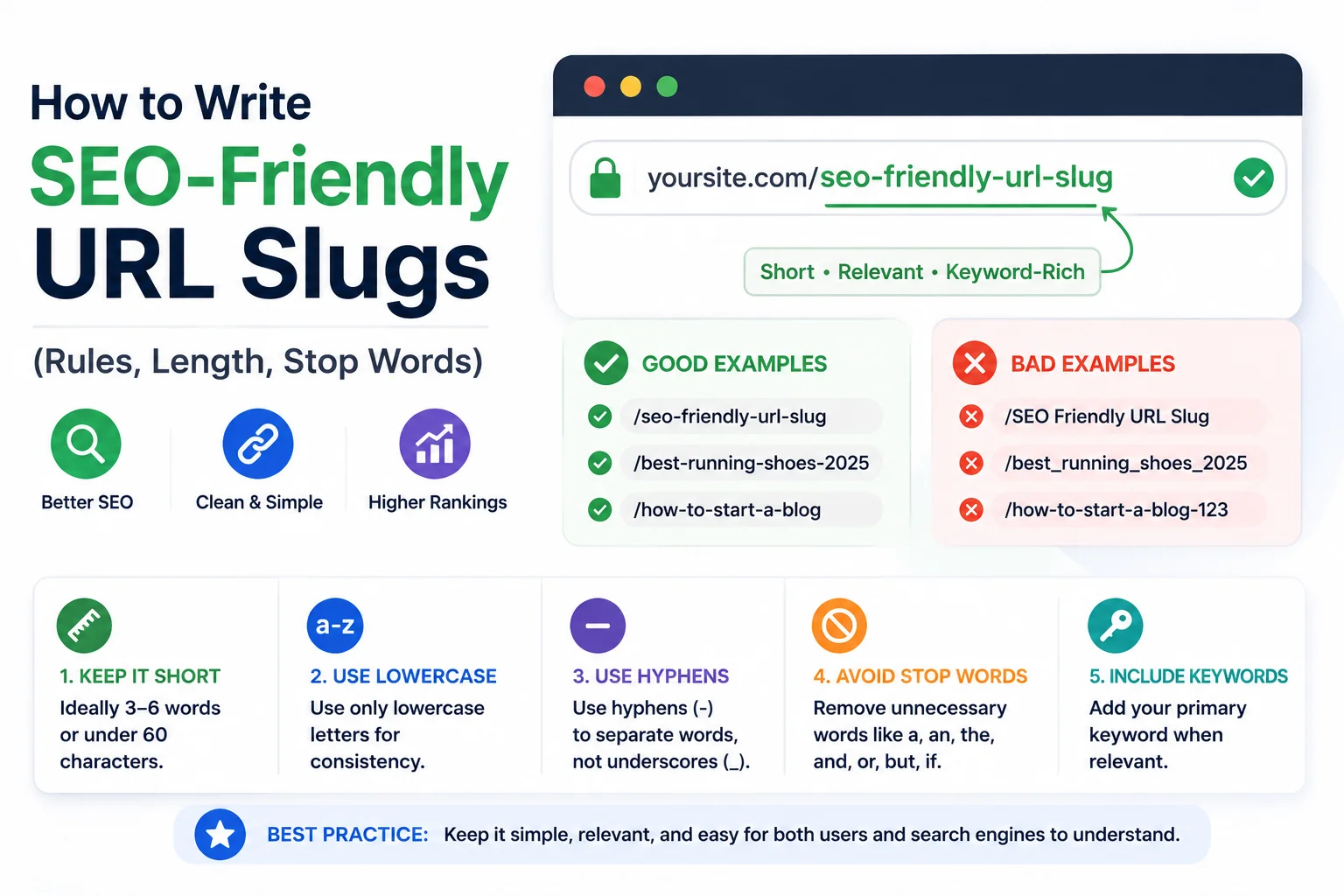
Google’s Search Central documentation recommends keeping URLs simple and avoiding long strings of parameters, without specifying an exact character limit, which leaves most of the practical guidance on slug length to come from observed search results behaviour rather than an official rule. Search results interfaces typically truncate a displayed URL somewhere around 60 to 70 characters, which functions as the real practical ceiling most SEO practitioners work against.
This guide covers the specific, actionable rules for writing a slug that stays within that practical limit, reads clearly, and carries the keyword weight it should, organised around the five decisions that come up on every page: length, stop words, keyword placement, formatting, and handling of dates or categories.
Rule 1: Target Under 60 Characters
Slugs beyond roughly 60 characters risk truncation in search results, which cuts off the end of the URL with an ellipsis and removes any words positioned there from the visible snippet. Checking a slug’s rendered length alongside the page title and meta description at the same time, rather than in isolation, is the more reliable way to catch this. WritoryBuzz’s meta tag generator shows live character counts for all three fields together, including a search results preview, so a slug that looks fine alone but pushes the combined display over the limit gets caught before publishing.
Rule 2: Remove Stop Words Unless They Change Meaning
Stop words including a, the, of, and, and in add length without adding search-relevant meaning in most cases, and removing them from a slug is standard practice. The qualifier in most cases matters here: a stop word that changes the actual meaning of the phrase, such as distinguishing best hiking boots from best hiking boots for beginners, should stay, since removing it would misrepresent the page’s actual topic.
A mechanical stop-word stripper that removes every instance of a, the, and of regardless of context will occasionally produce an awkward or misleading result. Reviewing the automated output before publishing, rather than trusting it blindly, catches the small number of cases where a stop word was load-bearing.
Rule 3: Place the Primary Keyword Early
Search engines and human scanners both weight the beginning of a URL slightly more heavily than the end, which means the primary keyword for a page belongs as close to the start of the slug as the phrasing allows, rather than buried after several other words. A slug reading /2026-guide-to-hiking-boots pushes the actual topic, hiking boots, to the end, while /hiking-boots-guide-2026 leads with it.
Rule 4: Use Hyphens, Lowercase, and No Special Characters
Every character in a slug should be a lowercase letter, a number, or a hyphen separating words. Underscores, spaces, and punctuation marks including apostrophes, ampersands, and question marks should not appear, since some of these characters carry technical meaning in a URL, such as a question mark introducing query parameters, and can break routing if included in the path itself rather than escaped correctly.
Applying these formatting rules manually across dozens or hundreds of pages invites inconsistency. A free slug generator that applies the same formatting rules automatically to every title removes that inconsistency at the source, which matters more at scale than on any single page.
Rule 5: Decide a Consistent Policy on Dates and Categories
Some sites include a category or date segment in every slug, such as /blog/2026/hiking-boots-guide, while others keep slugs flat with no such prefix. Neither approach is universally correct, but consistency across a site matters more than which specific approach is chosen, since a mixed pattern makes a site’s URL structure harder to reason about for both search engines and site owners maintaining redirects later.
Dated slugs carry one specific risk: evergreen content that gets updated periodically can end up with a URL that misleadingly implies it is outdated, even after a substantial rewrite. Sites publishing content intended to stay relevant for years generally do better avoiding a date in the slug itself, reserving date references for the page title and body content instead.
Checking Length Alongside the Rest of the Page
Slug length rarely causes problems in isolation. The more common failure is a slug, title, and meta description that are each individually reasonable but combine to exceed what a search results snippet can display cleanly. Running the full page through a word counter alongside the slug check catches cases where an unusually long title is compensating for a short slug in a way that still overflows the total display.
Applying These Rules Consistently at Scale
The five rules above are straightforward individually and easy to apply inconsistently across a large site without a fixed process. A copy-paste checklist for running through them on every new page, formatted for direct use across common CMS platforms, is available in URL Slug Best Practices: A Copy-Paste Checklist for Every CMS.
For the underlying reasoning behind why slug quality matters for SEO in the first place, see What Is a URL Slug and Why It Still Matters for SEO in 2026.
For a breakdown of how slug terminology overlaps with permalink and URL path, which trips up the rules above if the terms get confused, see Slug vs Permalink vs URL Path: The Difference Explained.
Frequently Asked Questions: SEO-Friendly URL Slugs
What is the ideal length for an SEO-friendly URL slug?
Most practitioners target under 60 characters, based on where search results interfaces commonly truncate displayed URLs. Google has not published an exact official limit, so this figure comes from observed search results behaviour rather than a stated rule.
Should stop words always be removed from URL slugs?
Generally yes, since words like a, the, and of add length without adding search-relevant meaning. The exception is a stop word that changes the actual meaning of the phrase, which should be kept even at the cost of extra length.
Where should the main keyword go in a URL slug?
As close to the beginning of the slug as natural phrasing allows. Both search engines and human scanners weight the start of a URL slightly more heavily than the end, so leading with the primary keyword is more effective than burying it.
Should URL slugs include the publish date?
This depends on content type. Time-sensitive content can benefit from a date for clarity, while evergreen content that gets updated periodically is usually better served by a dateless slug, since a date can misleadingly imply the content is outdated.
Can special characters be used in a URL slug?
No. Slugs should contain only lowercase letters, numbers, and hyphens. Special characters including apostrophes, ampersands, and question marks can interfere with URL routing and should be removed rather than escaped within the slug itself.
What tool can automatically generate SEO-friendly slugs?
A free slug generator tool converts a page title into a properly formatted slug automatically, applying lowercase conversion, hyphen separation, and stop-word removal consistently across every page, which is faster and more consistent than manual formatting at scale.