
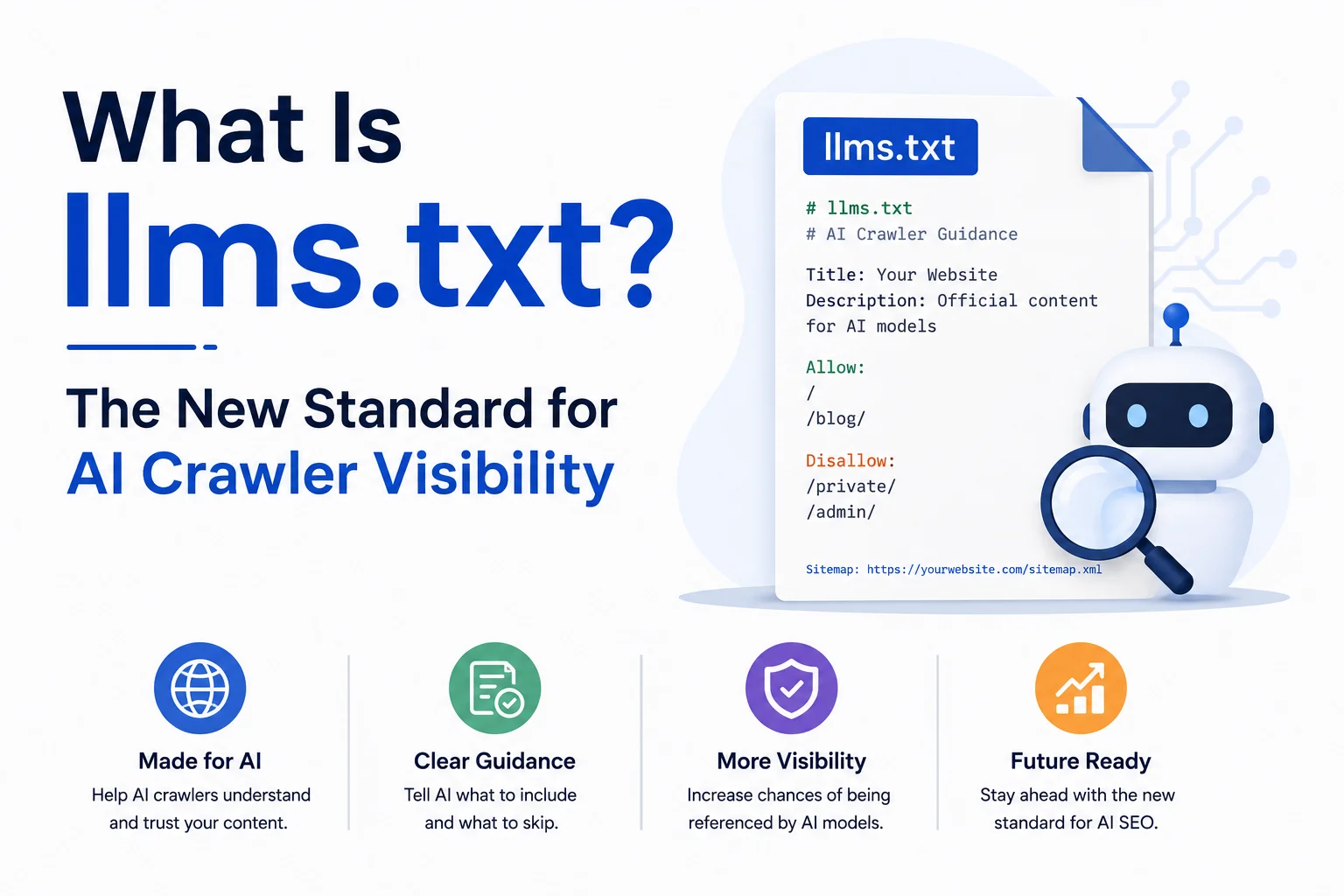
Jeremy Howard and the Answer.ai team published the llms.txt proposal in September 2024, giving website owners a plain text way to tell large language models which pages matter most. OpenAI’s GPTBot, Anthropic’s ClaudeBot, and Perplexity’s PerplexityBot each crawl the web under separate rules, with no shared method for locating a site’s core content. Directory sites that track adoption, including llmstxt.site, now catalogue documentation platforms, developer tools, and publishers that have each published their own file.
llms.txt is a markdown file placed at a domain’s root address, typically yourdomain.com/llms.txt, listing a site’s most important pages in a format built for language models rather than browsers. It solves a specific problem: HTML pages carry navigation menus, cookie banners, and script tags that consume an AI model’s limited context window, while a markdown file carries only the content a model needs. This article explains how the file works, how it differs from robots.txt and sitemap.xml, and what a compliant file looks like heading into 2026.
What llms.txt Actually Is
llms.txt sits in the same location convention as robots.txt: the root of a domain, read directly by file name rather than linked from anywhere on the site. Where robots.txt tells crawlers what they may or may not access, llms.txt tells a language model what it should read first. The file uses standard markdown syntax: an H1 with the site or project name, a short blockquote summary beneath it, and H2 sections that group links by purpose, such as documentation, pricing, or API reference.
A typical entry looks like a single markdown link followed by a short description of what the page covers, for example a Getting Started link paired with one line explaining it walks through account setup. Because the format is markdown rather than rendered HTML, a model can read the entire file in a small number of tokens and decide which linked pages are worth fetching in full, instead of parsing an entire HTML sitemap to find the same information.
Why llms.txt Exists: The Context Window Problem
Large language models answer questions inside a fixed context window, a hard limit on how much text a single request can process. When a model retrieves a live web page, it typically strips HTML during that step, a process that often pulls in cookie banners, footer navigation, and script remnants alongside the content that actually answers the query. That noise takes up space a shorter, cleaner markdown file would not.
The proposal’s authors argued that a curated, markdown-first index reduces that noise at the source, rather than asking every AI company to build better HTML parsing independently. A single llms.txt file, in effect, pre-processes a site once on the publisher’s terms, instead of leaving interpretation to whichever crawler happens to fetch the page that day.
llms.txt vs robots.txt vs sitemap.xml
The three files serve different audiences even though they can sit in the same root directory. robots.txt, established as a convention in 1994 by developer Martijn Koster, tells crawlers which URLs they are permitted to request. sitemap.xml, adopted by Google in 2005, gives search engines a complete list of indexable URLs for crawling and ranking. llms.txt gives language models a curated, human-readable subset written for direct comprehension rather than exhaustive indexing.
| File | Primary Audience | Format | Introduced |
| robots.txt | Search and AI crawlers | Plain text rules | 1994 |
| sitemap.xml | Search engines | XML URL index | 2005 |
| llms.txt | Language models | Markdown link index | 2024 |
A full breakdown of when each file is required, and how they interact on the same site, is covered in llms.txt vs robots.txt vs sitemap.xml.
If your site has not addressed AI crawler permissions specifically, a robots.txt generator with built-in GPTBot and ClaudeBot rules is the companion step to publishing an llms.txt file.
What a Compliant llms.txt File Looks Like
A minimal file opens with an H1 naming the site or product, followed immediately by a one-sentence blockquote summary of what the site does. Below that, H2 sections group related links: a Documentation section for technical pages, an Optional section for lower-priority content a model can skip under time pressure, and any category specific to the site, such as Pricing or API Reference. Each link entry stays to a single line: the markdown link followed by a short, factual description.
Some sites also publish an llms-full.txt variant alongside the standard file, containing full page content inline rather than just links, intended for models that cannot follow outbound links during a single retrieval pass. Testing this structure by hand is slow.
WritoryBuzz’s free llms.txt generator builds a compliant file in under two minutes: enter your key pages and their categories, and it outputs formatted markdown ready to upload to your root directory.
A step by step walkthrough for WordPress, Shopify, and static sites is covered in How to Create and Upload an llms.txt File.
Full annotated file examples are broken down in llms.txt Examples: 8 Real Files Broken Down Line by Line.
Which AI Platforms Currently Read It
Adoption remains uneven. Documentation platform Mintlify added native llms.txt generation for hosted docs in 2024, and API-heavy companies followed because their content maps naturally onto the format’s link-list structure. Whether GPTBot, ClaudeBot, or PerplexityBot actively fetch and prioritise llms.txt during a live crawl is not confirmed by each company on any fixed schedule, so publishing one functions as preparation for a standard still gaining ground, rather than a guaranteed citation trigger today.
Because AI citation depends on more than one file, pairing llms.txt with a broader readiness check matters. WritoryBuzz’s AEO checker scores schema, FAQ structure, and crawler access together, so an llms.txt file is not evaluated in isolation from the rest of a page’s AI-search signals.
Common Objections and Current Limitations
Critics of the proposal note that no major AI lab has publicly committed to treating llms.txt as an authoritative signal the way Google treats sitemap.xml for indexing. Others point out that maintaining a second content index alongside an existing sitemap adds an ongoing maintenance cost for marketing and content teams, since both files need updating whenever pages change.
Even with that uncertainty, publishing a file costs only a few minutes and cannot lower a site’s existing search visibility, since crawlers that ignore the standard simply skip the file. The downside risk sits close to zero, which is unusual for a technical SEO change.
Publish It Before the Standard Solidifies, Not After
Standards that start as informal proposals tend to calcify quickly once a handful of major platforms commit to them, the way sitemap.xml moved from a Google-only convention in 2005 to a fixture on every technical SEO audit within a few years. llms.txt sits at that same early stage heading into 2026: adopted unevenly, unconfirmed by the largest AI labs as a ranking or citation signal, and close to free to implement.
Sites that publish a compliant file now are not betting on the format winning outright. They are removing one variable from how AI systems interpret their content, at a cost of a few minutes, before the decision about whether it matters gets made for them by someone else.
Explore the rest of WritoryBuzz’s free AI search and SEO toolkit and revisit your file as the standard develops through 2026.
Frequently Asked Questions: llms.txt
What is llms.txt and how does it work?
llms.txt is a markdown file published at a website’s root address that lists a site’s most important pages for large language models to read. It replaces HTML navigation and formatting with plain markdown links and short descriptions, letting an AI model scan a site’s content map using a small number of tokens.
What is the difference between llms.txt and robots.txt?
robots.txt controls which pages a crawler is allowed to request, using disallow and allow rules established in 1994. llms.txt does a different job: it recommends which pages a language model should read first, in a curated markdown format built for comprehension rather than access control.
How does an AI model use an llms.txt file?
A model or its retrieval system can fetch a domain’s llms.txt file directly, read the short markdown index, and decide which linked pages to fetch in full based on the one-line descriptions provided. This avoids parsing an entire HTML sitemap to locate relevant context.
How many websites currently publish an llms.txt file?
Exact figures are not centrally tracked, though directory sites such as llmstxt.site catalogue growing numbers of adopting domains heading into 2026, concentrated among documentation platforms, developer tools, and SaaS companies whose content maps naturally to a link-list format.
How do you create an llms.txt file for your website?
List your most important pages grouped by category such as docs, pricing, or blog, write a one-line description for each, and format the result as markdown with an H1 title and H2 section headers. Free generator tools automate the formatting in under two minutes.
Do search engines like Google use llms.txt for ranking?
No. llms.txt has no confirmed role in Google’s ranking algorithm and is unrelated to sitemap.xml, which search engines do use for indexing. It targets AI language models and their retrieval systems, not traditional search crawlers or ranking signals.