
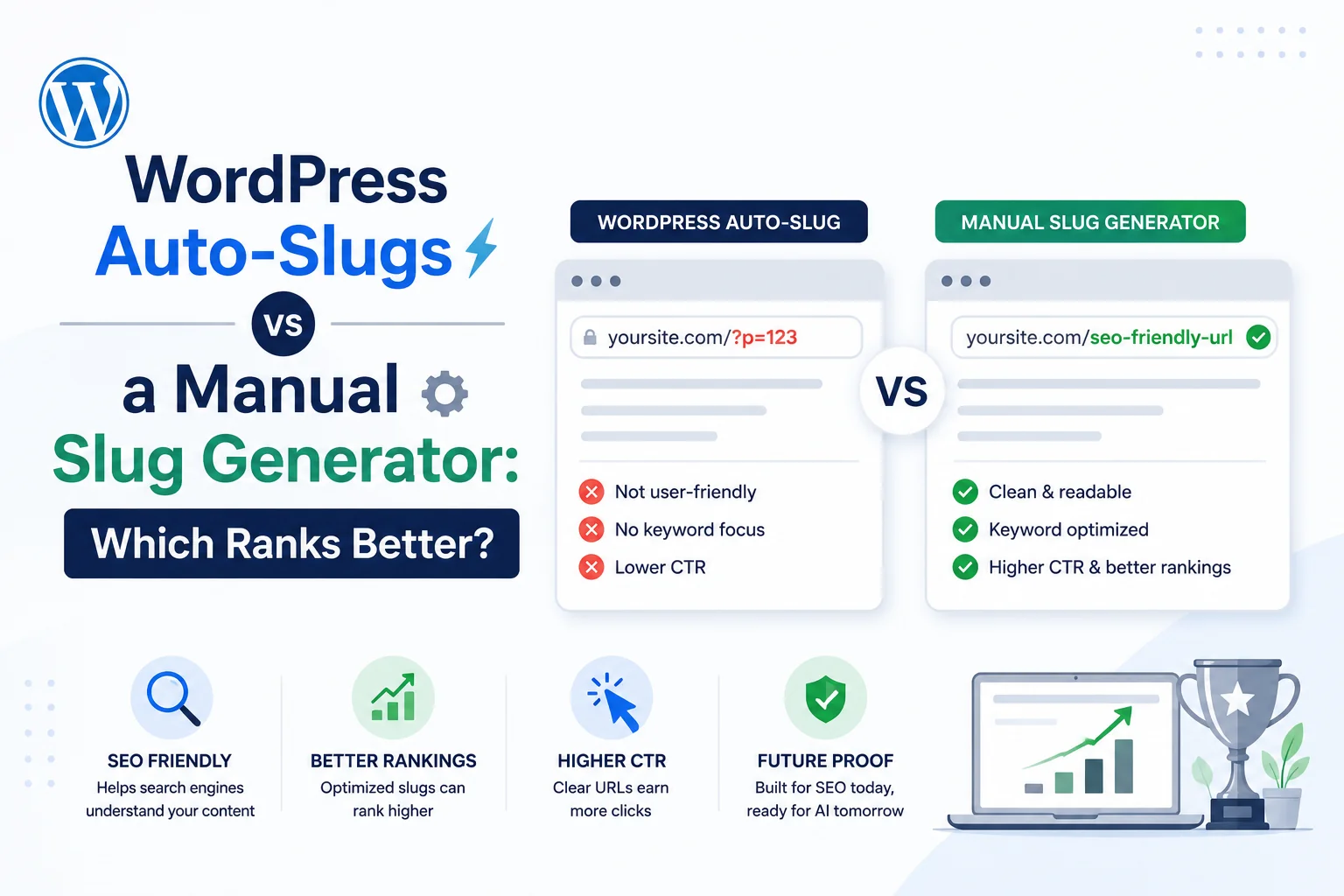
WordPress generates a slug automatically the moment a post title is saved, converting spaces to hyphens and stripping unsafe characters, a behaviour that has stayed largely unchanged since the platform’s early versions. This raises a fair question for anyone publishing regularly: is the automatic result good enough, or does manually building a slug with a dedicated tool produce a measurably better outcome.
Neither option is universally correct. This comparison looks at exactly what WordPress’s auto-slug does well, where it consistently falls short, and when the extra step of manual generation is worth the time it costs.
What WordPress’s Auto-Slug Actually Does
WordPress takes the full post title, lowercases it, replaces spaces with hyphens, and strips characters that are not URL-safe, including punctuation and most symbols. Stop words are not removed. A title like The Best Hiking Boots for Beginners in 2026 becomes the-best-hiking-boots-for-beginners-in-2026, carrying every word from the original title into the URL without any editorial judgment about which words are actually necessary.
Where the Auto-Slug Falls Short
The core limitation is that WordPress optimises for accuracy to the title, not for URL quality. It has no logic to remove stop words, no awareness of a practical length ceiling, and no way to judge whether the primary keyword sits early enough in the resulting slug to carry its full SEO weight. The example above runs to 47 characters before even counting the domain, longer than it needs to be by roughly a third once stop words are stripped.
This is not a bug. WordPress’s core philosophy favours predictable, unsurprising behaviour over aggressive automatic editing of what a user typed, which is a reasonable default but leaves the actual SEO optimisation step to the person publishing.
What a Manual Slug Generator Adds
A dedicated tool such as WritoryBuzz’s free slug generator applies the additional editorial layer WordPress’s default skips: automatic stop-word removal, a length check against the practical 60-character ceiling, and platform-specific formatting presets for WordPress, Shopify, and GitHub that account for each platform’s specific conventions.
Running the same example title through this kind of tool typically produces best-hiking-boots-beginners-2026, dropping the, for, and in without losing any of the meaningful keywords, and cutting the character count by roughly 30 percent compared to the raw WordPress default.
Head-to-Head Comparison
| Factor | WordPress Auto-Slug | Manual Slug Generator |
| Stop word removal | No | Yes, automatic |
| Length optimisation | No | Yes, targets under 60 characters |
| Keyword position awareness | No, mirrors title order | Can be manually adjusted |
| Setup effort per page | None, automatic | 10 to 30 seconds per page |
| Platform-specific formatting | WordPress only | Multiple platform presets |
A Note on Migration Risk
Switching from WordPress’s default to a manually optimised slug on already-published, indexed pages carries the same redirect risk as any other slug change: skipping a 301 redirect from the old URL to the new one breaks existing rankings and any inbound links pointing to the original address. This risk applies identically regardless of which method produced the new slug, and it is the main reason retroactively optimising an entire back catalogue of published posts is rarely worth the effort compared to applying better practice going forward on new content.
A more measured approach targets only the highest-traffic existing pages for retroactive optimisation, where the click-through rate benefit is large enough to justify the redirect work, while leaving low-traffic older posts on their original WordPress-generated slugs indefinitely.
Does the Difference Actually Affect Rankings
Isolating slug quality as a ranking variable independent of content quality is difficult in practice, and no controlled study specifically measuring auto-slug versus manually optimised slug ranking impact is publicly available as of 2026. The more measurable and better-documented effect is on click-through rate: shorter, cleaner slugs render more legibly in search results, and legibility has a demonstrated relationship with click behaviour independent of ranking position.
The realistic framing is that a manually optimised slug is unlikely to move a page from position ten to position one on its own, but it can measurably improve how often people click through once a page is already ranking, which compounds into more traffic at the same ranking position over time.
When the Extra Step Is Worth It
For a low-volume personal blog publishing occasionally, WordPress’s default is defensible, since the time cost of manual optimisation may exceed the marginal traffic benefit at that scale. For a site publishing regularly with real organic traffic at stake, the 10 to 30 seconds per page a generator tool costs is a small addition to an already-existing publishing workflow, one worth pairing with a check of the finished title and description through a meta tag generator to confirm the full search snippet reads cleanly.
A Practical Middle Ground
The two approaches are not mutually exclusive across a full site. Applying manual optimisation to cornerstone content and evergreen guides, where traffic volume justifies the extra step, while accepting WordPress’s default on lower-priority pages, captures most of the benefit without adding the step to every single page published. For the specific formatting rules a generator tool applies, see How to Write SEO-Friendly URL Slugs.
For background on what a slug is and why any of this matters in the first place, see What Is a URL Slug and Why It Still Matters for SEO in 2026.
And for a full pre-publish checklist that works regardless of which method produced the slug, see URL Slug Best Practices: A Copy-Paste Checklist for Every CMS.
Frequently Asked Questions: WordPress Auto-Slugs vs Manual Generators
Is WordPress’s default slug good enough for SEO?
It is functional but not optimised. WordPress’s auto-generated slug mirrors the full post title without removing stop words or checking length, which is fine for low-traffic pages but leaves measurable click-through rate improvement on the table for higher-traffic content.
Does a shorter slug rank higher than a longer one?
No controlled study confirms a direct ranking benefit from slug length alone as of 2026. The more established benefit is to click-through rate, since shorter, cleaner slugs render more legibly in search results.
How much time does manual slug optimisation add per page?
Typically 10 to 30 seconds per page using a dedicated generator tool, since the tool automates stop-word removal and formatting, leaving only a quick review of the output rather than manual editing from scratch.
Should every page on a site use a manually optimised slug?
Not necessarily. A practical middle ground applies manual optimisation to high-traffic or cornerstone content, where the extra step has the clearest payoff, while accepting WordPress’s default on lower-priority pages.
Can WordPress plugins improve the default slug automatically?
Some SEO plugins add stop-word suggestions or length warnings within the WordPress editor, though coverage varies by plugin and none fully replicate the dedicated formatting presets a standalone slug generator tool provides.
Does Shopify or Webflow have the same auto-slug limitation?
Shopify’s URL handle and Webflow’s slug field both auto-generate from the title in a similar way to WordPress, without stop-word removal or length optimisation built in by default, so the same manual optimisation case applies across all three platforms.